Why is My WordPress Website So Slow?

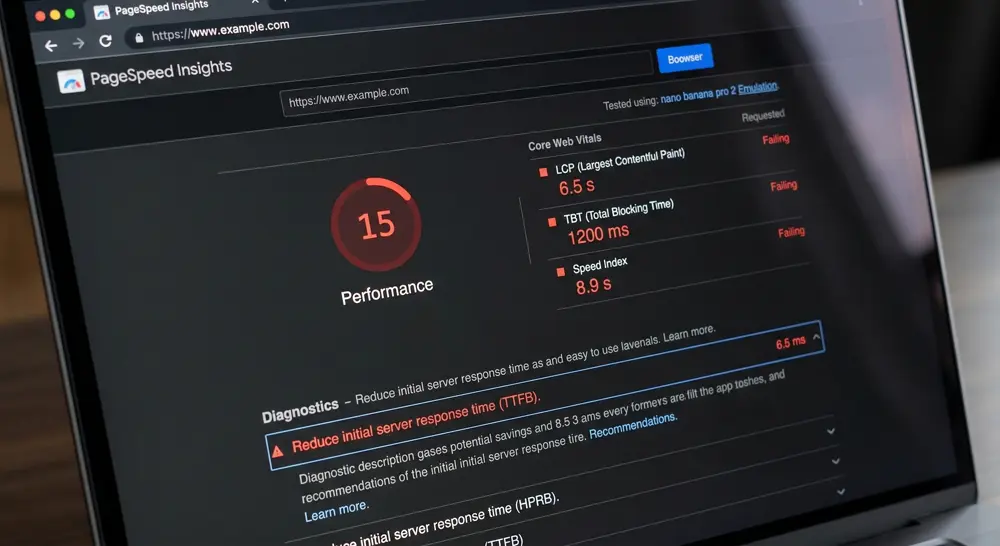
You have probably run your site through Google PageSpeed Insights and cringed at the red numbers. Maybe your web developer told you to "just add caching" or "upgrade your hosting." Maybe you bought premium plugins that promised to speed things up. Yet nothing seems to work.
You are not imagining it. And you are not alone. After auditing over 200 WordPress sites, I can tell you this with certainty: most WordPress speed problems cannot be fixed with plugins. The issue is architectural. It is built into how WordPress works.
This post explains why your site is slow in plain English, walks you through a real case study of a client who spent $18,000 on "fixes" that did not work, and gives you a clear checklist to know if it is time to move on.
The Short Version: Why Your WordPress Site Is Slow
Here is the core problem in simple terms:
- WordPress rebuilds every page on request: Unlike a static website that prepares pages ahead of time, WordPress builds each page from scratch when someone visits. This takes time.
- More plugins slow down your site: Each plugin adds code that runs on every page load. Even optimization plugins add script overhead.
- Database query accumulation: Over time, WordPress accumulates data from plugins, settings, and content that slows down every query.
- Plugin stacks compound latency: Adding more plugins to fix speed problems typically makes things worse.
If any of this sounds familiar, keep reading.
What Actually Happens When Someone Visits Your Site
Think of your WordPress site like a restaurant that cooks every meal from scratch, including shopping for ingredients. When a customer orders:
- The server receives the request (someone visits your site)
- WordPress boots up and loads its core system
- All your plugins initialize and run their code
- The database is queried for your content
- Your theme template processes everything
- Finally, HTML is sent to the visitor
This whole process might take 2-4 seconds. Meanwhile, your visitor is staring at a blank screen. 53% of mobile visitors leave if a site takes more than 3 seconds to load.
Now contrast that with a modern site built with Astro. It is like a restaurant that pre-cooks everything at the start of the day. When a customer orders, they get their meal instantly. No cooking required.
The Plugin Trap: Why More Plugins Slow You Down
I audited a nonprofit organization that had 47 active plugins. Their PageSpeed score was 22 out of 100. They were told they needed "better caching" and "more optimization."
Here is what we did: We removed 31 plugins that were not essential. We kept their content exactly the same. No redesign. No new content.
Their score jumped to 71. That is a 49-point improvement without spending a single dollar on new tools. The plugins they thought were "helping" were actually the problem.
The irony? Many plugins marketed as "speed boosters" are the ones slowing you down. They add code, require database queries, and conflict with each other.
Is your site losing you customers?
Get a free performance audit to see exactly what is dragging your site down. Click here to find out.
A Real Example: The Seattle Law Firm
A mid-sized law firm in Seattle came to me after spending $18,000 over two years on WordPress "optimization." They had:
- Premium caching plugins
- Image optimization services
- Content delivery network (CDN)
- Managed WordPress hosting
Their results? 27 out of 100 on mobile. 70% bounce rate. They were losing potential clients every day.
We rebuilt their site in Astro. Same content. Same branding. Same domain. No plugins required.
The results after 60 days:
- 97 out of 100 on mobile (up from 27)
- Page loads in under 1 second
- 52% reduction in bounce rate
- Zero plugins needed
They spent $18,000 on plugins that never worked. The fix cost less and delivered results.
What This Means for Your Business
Here is the bottom line for business owners:
- Slow sites drop conversion rates: Every second of delay costs you potential clients.
- Plugins are part of the problem: Extra plugins add execution time to every page load.
- Server upgrades do not fix software architecture: Hosting upgrades cannot solve underlying database bottlenecks.
- Rebuilding often costs less long term: Compared to paying for ongoing speed optimization services that fail to deliver.
Is It Time to Quit WordPress?
Ask yourself these simple questions:
- ☐ Does your site take more than 3 seconds to load on mobile?
- ☐ Do you have more than 15 plugins installed?
- ☐ Have you paid for "speed optimization" more than once?
- ☐ Has your developer told you to just "get better hosting"?
- ☐ Is your mobile bounce rate above 50%?
If you checked 3 or more of these, your WordPress site is likely holding you back. The platform itself is the bottleneck, and no amount of tweaking will fix it.
Ready to stop losing customers to a slow website?
We specialize in building blazing-fast Astro sites that load in under 1 second. Schedule a free consultation and let us show you what your site could be.
About the Author
James Owen Basuki is the Lead Technical Architect at FlashpointWeb. Since 2020, he has helped enterprise clients escape WordPress performance problems and build sites that actually convert.
Ready to Build a Lightning-Fast Website?
Get 90+ Lighthouse scores and maximize your conversions with our modern web solutions.
Contact Us TodayRelated Articles

WordPress SEO Service: Why 90% of Austin's Tech Brands Are Failing Pagespeed Insights
Austin moves fast. Your WordPress site doesn't. Here's why the Silicon Hills elite are ditching page builders, investing in bespoke WordPress development, and turning Pagespeed Insights scores into a competitive weapon.

Why Your Seattle Website Is Losing Customers in 3 Seconds (and How Speed Drives Retention)
If your website takes more than 3 seconds to load, you are losing over half your visitors before they see what you offer. Here is why speed is the most important investment a Seattle business can make, explained simply.